uv: The Python Tool That Finally Makes Environments Feel Fast
A practical tour of uv, Astral’s fast Python package and project manager, with examples for projects, scripts, tools, Python versions, and CI.

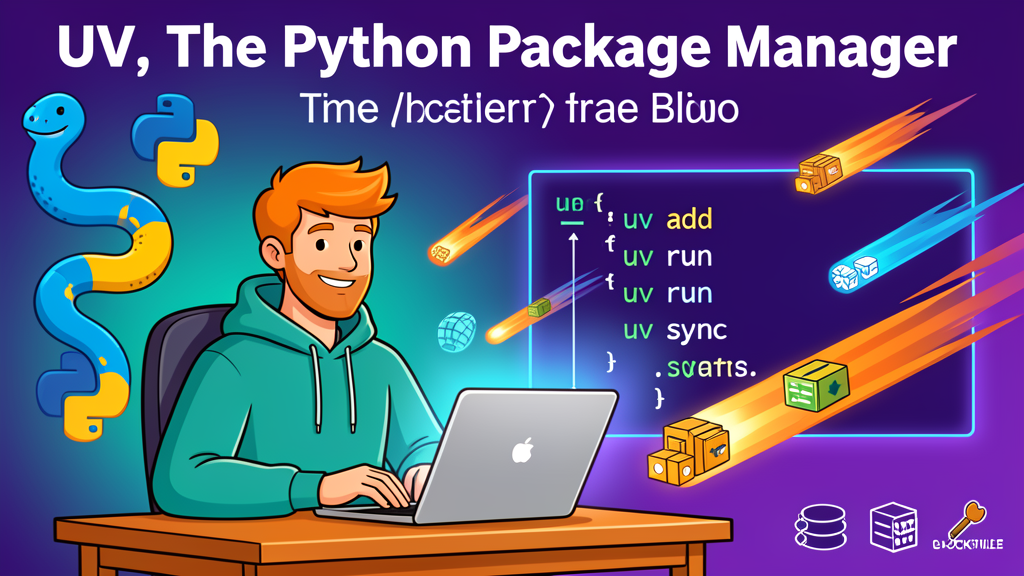
If you have written Python for more than a few weeks, you have probably collected a small toolbox: pip for installing packages, venv or virtualenv for environments, pip-tools for locked requirements, pipx for command-line tools, pyenv for Python versions, and maybe Poetry or Hatch for full project management.
uv is compelling because it collapses a lot of that day-to-day workflow into one fast tool. It is a Python package and project manager from Astral, the team behind Ruff, written in Rust and designed to be a drop-in accelerator for common Python workflows while also supporting modern project management.
Why uv is worth paying attention to
The headline is speed: Astral describes uv as 10–100x faster than pip. That matters, but the bigger win is consistency. uv can manage dependencies, lockfiles, virtual environments, Python versions, single-file scripts, and globally installed tools with one mental model.
- Fast installs and resolves — especially noticeable in fresh environments and CI.
- One tool instead of several — replaces many common uses of
pip,pip-tools,pipx,poetry,pyenv, andvirtualenv. - Project-native workflow — uses
pyproject.tomlplus a cross-platformuv.lock. - Automatic environment handling —
uv runmakes sure the environment matches the lockfile before running commands. - Script support — single Python files can carry their own dependency metadata.
- Tool runner —
uvxworks like a faster, modernpipx run.
Install uv
On macOS or Linux, the standalone installer is the simplest path:
curl -LsSf https://astral.sh/uv/install.sh | shOn Windows:
powershell -ExecutionPolicy ByPass -c "irm https://astral.sh/uv/install.ps1 | iex"You can also install it with Homebrew, pip, or pipx, but I like the standalone installer because it does not depend on a working Python environment first.
Example 1: start a new Python project
Here is the modern “new project” flow:
uv init hello-uv
cd hello-uv
uv add requests rich
uv run python main.py
uv creates the project metadata in pyproject.toml. On the first sync or run, it creates a local .venv and a uv.lock file. That lockfile is the reproducibility piece: commit it to version control so another machine, teammate, or CI job gets the same dependency resolution.
Adding and removing dependencies stays simple:
uv add flask
uv add 'django>=5'
uv remove flask
Example 2: run commands without manually activating a venv
Traditional Python workflows often start with “did I activate the right virtualenv?” uv makes that less fragile:
uv run pytest
uv run ruff check
uv run python scripts/import_data.py
uv run checks that the lockfile and environment are in sync before executing the command. You can still activate .venv manually if you want, but for most tasks I prefer uv run because it is explicit and repeatable.
Example 3: migrate an existing requirements.txt project
If you already have a requirements.txt, you do not need to rewrite the project in one shot:
uv init
uv add -r requirements.txt
uv sync
uv run python app.py
For teams that still need a requirements workflow, uv also has a pip-compatible interface:
uv pip install -r requirements.txt
uv pip compile requirements.in --output-file requirements.txt
uv pip sync requirements.txt
That makes uv easy to adopt incrementally. You can speed up existing installs first, then move toward pyproject.toml and uv.lock when the project is ready.
Example 4: run one-off Python tools with uvx
uvx is an alias for uv tool run. It lets you run a Python CLI tool without permanently installing it into your project:
uvx ruff check .
uvx black --check .
uvx pycowsay "hello from uv"
For tools you use constantly, install them globally in uv’s tool environment:
uv tool install ruff
uv tool install pre-commit
This is cleaner than installing developer tools into every project just so the command is available on your shell path.
Example 5: manage Python versions
uv can install and select Python versions too:
uv python install 3.12 3.13
uv python pin 3.12
uv run python --version
The uv python pin command writes a .python-version file for the project. When uv creates or updates the environment, it knows which interpreter to use.
Example 6: single-file scripts with dependencies
This is one of uv’s most underrated features. A standalone script can declare its dependencies inline:
uv add --script report.py requests rich
uv run report.py
uv reads the script metadata, creates an isolated environment, installs what the script needs, and runs it. That is great for admin scripts, data pulls, quick automations, and small utilities that are not worth turning into full projects.
A practical CI example
In CI, uv can make builds faster and more reproducible:
- name: Install uv
  run: curl -LsSf https://astral.sh/uv/install.sh | sh

- name: Sync dependencies
  run: uv sync --locked

- name: Run tests
  run: uv run pytest
The important part is uv sync --locked. It tells CI to use the committed lockfile rather than silently changing the dependency resolution during a build.
Where uv fits in my Python workflow
My recommended starting point is simple:
- Use
uvxfor one-off tools. - Use
uv pipto speed up existing requirements-based projects. - Use
uv init,uv add,uv run, anduv syncfor new projects. - Commit
pyproject.toml,uv.lock, and.python-version.
You do not have to migrate every Python project overnight. uv is useful immediately as a faster installer and tool runner, then becomes more valuable as you let it manage more of the project lifecycle.
Gotchas to know
- It is a workflow change. Teams should agree on whether
uv.lockis the source of truth before mixing tools. - Do not hand-edit
uv.lock. Let uv manage it. - Use
--lockedin CI. That prevents accidental dependency drift. - Check deployment targets. If a platform expects
requirements.txt, keep generating one or use uv’s pip-compatible commands as a bridge.
Bottom line
uv is not just “pip, but faster.” It is a serious attempt to make Python’s environment and packaging story feel coherent. The biggest benefit is that everyday commands become shorter, faster, and easier to reproduce:
uv add requests
uv run pytest
uv sync --locked
uvx ruff check .
If you maintain Python projects, write automation scripts, or regularly fight virtual environments, uv is worth trying on your next project.
Sources: uv documentation, Astral’s project guide, and the astral-sh/uv GitHub repository.